Video editor for lawyers and legal teams

If you handle deposition video, body-cam footage, surveillance clips, or trial exhibits, every cloud video editor is a chain-of-custody problem. AetherCut is built to keep the evidence on your machine.
AetherCut lets lawyers and legal teams edit deposition video, body cam footage, surveillance clips, and trial exhibits entirely in the browser so sensitive evidence stays on their machine and out of a cloud service. It loads, processes, and exports files in the browser, which avoids creating a server side copy that could affect chain of custody.
Why are cloud video editors risky for legal evidence?
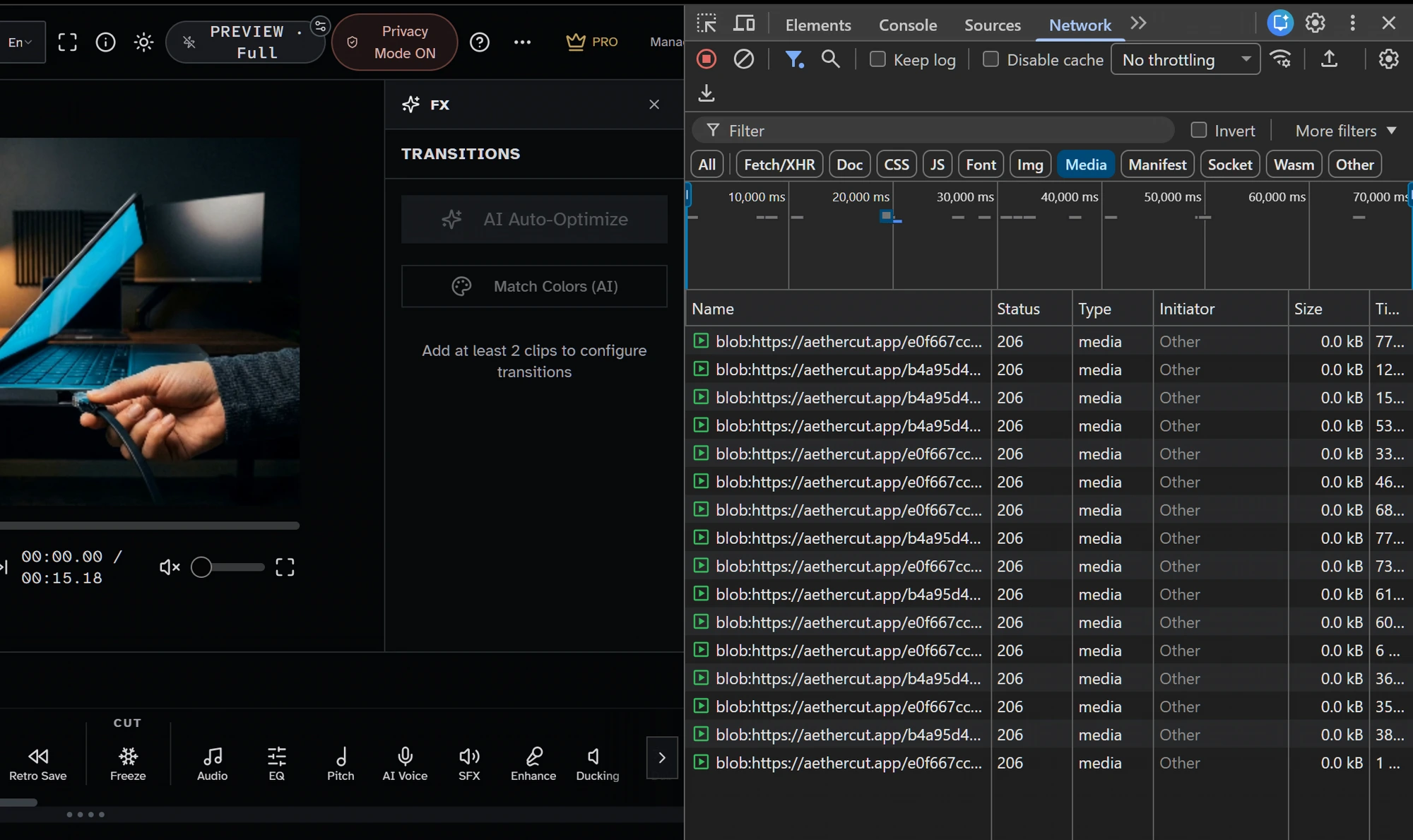
Cloud editors usually upload footage to their servers, adding another party to the chain of custody. That third party can be subpoenaed and may retain copies. AetherCut processes and exports files in your browser, so it never holds a copy.
Most browser-based video editors upload your footage to their servers for processing. That creates an additional party in your chain of custody — one your opposing counsel can subpoena, one your client did not consent to, and one whose retention policy you don't control.
AetherCut never sees the footage. The file is loaded into your browser, processed in your browser, and exported from your browser. There is no copy on our side to subpoena, retain, or lose.
What can lawyers do with AetherCut?
Lawyers can trim depositions, add text overlays and timestamps to body cam footage, generate captions for exhibits, mute audio or black out regions for redactions, and compare surveillance clips side by side.
- Trimming a 4-hour deposition to the relevant 10-minute segment for a motion exhibit.
- Annotating body-cam footage with text overlays + timestamps before submission.
- Generating accurate captions from witness testimony for accessibility-compliant exhibits.
- Producing redacted versions where audio is muted or video is blacked out over a region.
- Comparing two surveillance clips side-by-side in a split-screen export.
What should IT confirm before using AetherCut?
IT should confirm the machine has enough disk space and RAM, especially 16 GB for 4K body cam footage, that browser based editing is allowed, and that the case system accepts MP4, MOV, or WebM exports.
- That your machine has sufficient disk + RAM for the files you'll be editing (4K body-cam footage in particular benefits from 16 GB).
- That your firm allows browser-based editing (most do — it's just a web page).
- That your case management system accepts the output format (we export MP4 / MOV / WebM).
Founder background
AetherCut's founder, Robert J. Corn, holds a BS in Computer Forensics in addition to BS degrees in Mechanical and Electrical Engineering. The chain-of-custody concerns this page describes are not theoretical — they were the original reason for building the product. Bio: /about.
How legal teams can prepare edits without creating avoidable authenticity disputes
The safest workflow is to treat the edit as a demonstrative or a narrowed exhibit and preserve the original file unchanged. Start by copying the source footage from the evidence system onto an approved workstation, confirm the file name and basic metadata, and decide exactly what the edited version is supposed to do before anyone touches the timeline. For example, a deposition clip for a motion may only need a clean in-point and out-point, while body-cam footage may also need a visible timestamp, speaker labels, or a muted section to remove protected audio. Defining that scope up front helps avoid repeated exports and reduces the chance that someone accidentally creates multiple competing versions of the same exhibit.
A common mistake is making substantive-looking changes without documenting them. If you add text, captions, black boxes, zooms, or split-screen comparison, those choices should be deliberate and easy to explain later. The edited file should not become a mystery object that nobody can describe under oath. Keep a simple matter note with the source file name, the date of editing, who performed it, what edits were applied, and the export format used. That way, if opposing counsel asks whether the clip was altered, the team can distinguish between edits that change presentation and the untouched original evidence the clip came from.
Another avoidable problem is waiting until the filing deadline to test playback. Courts, mediators, and opposing counsel do not always use the same systems your firm uses internally. After export, open the finished file locally and confirm that the video plays, audio is synced, captions appear when expected, and any redactions fully cover the intended region for the full duration. If the clip will be shown in a hearing room, it is worth checking that the resolution, aspect ratio, and burned-in text remain legible on a larger display. This kind of final verification is mundane, but it prevents the last-minute scramble that often causes legal teams to re-edit evidence under pressure.
Sources
- Federal Rules of Evidence Legal Information Institute, Cornell Law School Accessed 2026-10-23
- Stored Communications Act Legal Information Institute, Cornell Law School Accessed 2026-10-23
- File API W3C Accessed 2026-10-23
- MediaRecorder W3C Accessed 2026-10-23
- MP4 Registration Authority MP4RA Accessed 2026-10-23
- Stored Communications Act, 18 U.S.C. §§ 2701–2712 Legal Information Institute, Cornell Law School Accessed 2026-10-24
- Sedona Conference Commentary on BYOD: Principles and Guidance for Developing Policies and Meeting Discovery Obligations, Second Edition The Sedona Conference Accessed 2026-10-24
- SubRip Text (SRT) Library of Congress Accessed 2026-10-24
- Media Capabilities API W3C Accessed 2026-10-24
- Media Source Extensions™ W3C Accessed 2026-10-24