
By Robert J. Corn · Founder, AetherCut
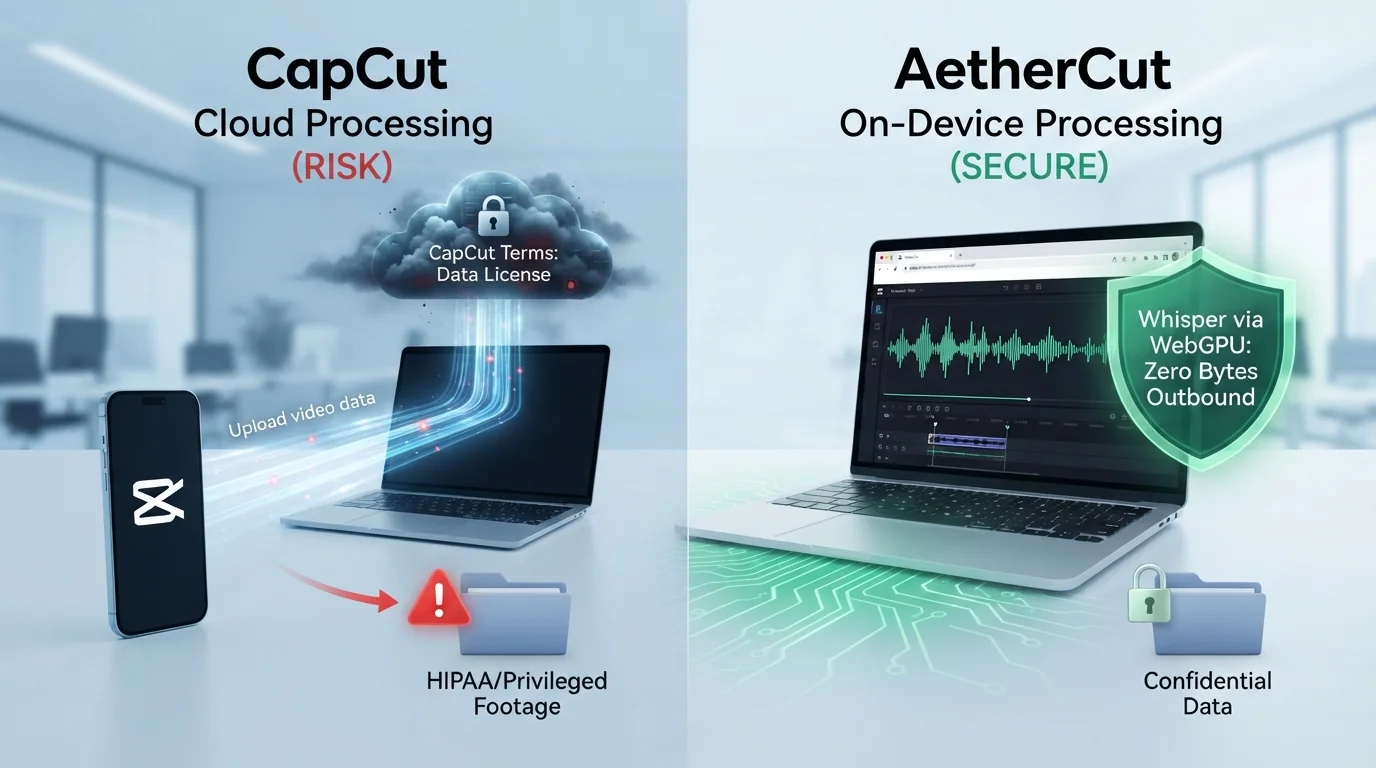
The best CapCut auto captions alternative depends on one question most reviews skip: can captions be generated without your footage reaching someone else's servers? For regulated work like depositions, patient footage, or source-protected interviews, that question comes first. This guide compares alternatives on accuracy, export formats, pricing, and verified on-device processing, and tells you when CapCut itself is still the right pick.
Three pressures push people off CapCut's captions: where the footage goes, who is legally allowed to send it there, and what the free tier does to your export.
CapCut's terms state that you grant the company a license to host, store, and use content you produce with the service, and its privacy policy describes collecting user content and related data for processing (CapCut Privacy Policy). For a deposition clip or patient footage, that is not a captioning feature; it is a data transfer.
Lawyers, medical educators, and HR teams often cannot lawfully send source video to a third party at all. Attorney-client privilege and HIPAA obligations make any off-device processing a compliance question, not a preference.
Watermarks and export limits on free tiers frustrate solo creators, and resolution caps bite on 4K sources. AetherCut's auto captions run client-side, so the footage never leaves the device.
Most browser editors, including VEED.io, route footage through their servers for transcription, which is disqualifying for deposition video or patient footage. AetherCut runs Whisper locally in your browser via WebGPU, so captioning works with the Network tab closed to outbound traffic. See how it compares directly at AetherCut vs VEED.
Open DevTools, go to the Network tab, and filter for media or fetch requests. Load a clip, run auto-captions, and watch the request log. Any POST carrying video bytes means the tool fails. Do this before you sign up for anything, including ours.
AetherCut transcribes with Whisper running client-side through WebGPU, on a full multi-track timeline. The trade-off: first-run model download takes a minute, and very old machines without WebGPU support fall back to slower processing.
Kapwing, CapCut, and Clipchamp all need shared state or transcription compute that lives on a server. Collaboration features in particular require a backend, so a no-upload architecture and real-time team editing rarely coexist in one tool.
Caption accuracy depends less on which tool you pick and more on your source audio. Clean, single-speaker recordings with a good microphone get usable results from every tool in this comparison. Degraded audio — depositions recorded over conference lines, lecture halls, or handheld interviews — is where Whisper-based local tools and proprietary models start to diverge. Jargon is the second variable: legal, medical, and technical vocabulary trips up generic models regardless of vendor, so plan to hand-correct terms anyway.
Accent handling favors tools that let you correct a transcript once and re-sync timings. If your workflow involves non-native speakers or regional accents, budget time for review passes no matter which editor you choose.
| Tool | Local caption generation | Export formats |
|---|---|---|
| AetherCut | Yes, on-device via Whisper | SRT, VTT, burned-in |
| Descript | No, audio goes to its servers | SRT, VTT, burned-in |
| CapCut | No | SRT, burned-in |
| Clipchamp | No | SRT, VTT, burned-in |
| Kapwing | No | SRT, VTT, burned-in |
The local column matters most if your footage is covered by confidentiality rules. HHS guidance treats vendors that handle protected health information on your behalf as business associates, which means a signed BAA and their compliance posture become your liability (HHS business associate guidance). For a deeper feature-by-feature breakdown, see our Descript comparison.
SRT is the universal interchange for editors and platforms. VTT adds styling and is what HTML5 players expect. Burned-in captions are the safest for confidential material shared as finished video, since no separate text file travels with it.
CapCut, Clipchamp, Kapwing, VEED.io, and Descript all use free tiers with paid upgrades, but the free tiers differ in export limits, watermarking, and caption minute caps. Check each before committing: the constraint that matters most is whether captioning on the free tier exports without a watermark. AetherCut charges nothing for captions and puts no watermark on any tier, because the processing happens on your device.
CapCut remains the better pick in three cases. First, if your footage is already public and privacy is not a constraint, its template library and short-form effects are hard to match. Second, if you edit on a phone and want captions in one tap, the mobile experience is more mature than browser alternatives. Third, if you need effects-driven edits for social, not deposition or patient footage, the tradeoff is worth it. Our own comparison of browser editors, including Canva's video tools, covers where each falls short: AetherCut vs Canva
If you edit twice a month, any paid tier is illustrative overspend. Run your own math: annual fee divided by sessions per year. For most occasional editors, a free client-side tool beats a subscription on cost and keeps footage local.
For TikTok, Reels, and Shorts, caption styling is the workflow. CapCut's free tier handles animated word-by-word captions and 9:16 reframing well, which is why it remains a fair pick for creators with no confidentiality constraints (its pricing and tier limits are worth checking against paid alternatives). Descript also suits short-form, but its strength is text-based trimming rather than caption animation. If your clips are marketing material with no privileged content, CapCut is still the right answer here.
Depositions, lectures, and interviews need a different toolset: a multi-track timeline, accurate speaker-labelled captions, and clean SRT export you can attach to a transcript or court filing. Browser tools built around a single video track struggle once you cut between camera angles or overlay exhibits. AetherCut runs the full NLE timeline client-side, so a two-hour deposition never leaves the machine, and Whisper-based captions export as standard SRT (W3C timed text guidance). For a side-by-side on browser editing limits, see our Clipchamp comparison.
Many browser editors cap export resolution or clip duration on lower tiers, and captions rendered as burned-in text inherit that ceiling. Test your longest, highest-resolution source file before paying for anything. Whisper, the transcription model most client-side tools build on, has documented accuracy characteristics worth reading directly in OpenAI's Whisper documentation, including weaker performance on rare languages and accented speech.
Some captioning tools only support one video track, which breaks picture-in-picture depositions or b-roll over interview footage. AetherCut offers a multi-track timeline, but verify track count, audio track limits, and whether caption tracks are editable as text or only as burned-in styling.
A privacy claim is only as strong as the data-handling terms behind it. Check whether the vendor's terms permit retention or human review of footage, and whether a BAA or DPA is available. For regulated work, the verifiable test is simple: open DevTools, watch the Network tab, and confirm zero outbound video bytes during a full edit and export.
Start with the caption track, not the project file. CapCut can burn captions into an exported video, but it does not export editable caption files from every project type. If your captions were generated inside CapCut, the reliable path is to re-export the source footage and regenerate captions in the new tool, or copy the caption text out manually into a plain text file as a fallback.
Note your style settings before switching: font, size, color, stroke, background opacity, and safe-area position. Most editors let you save these as a reusable preset, so rebuild once and apply to every future project. If you burned captions into old exports, you cannot restyle them; keep source footage separate from captioned deliverables going forward.
Keep CapCut installed until step 6 passes.
Yes. AetherCut generates captions on-device and exports without watermarks on its free tier, since transcription runs locally rather than on rented compute. Most free browser editors impose watermarks because transcription costs them money per minute. Verify export limits on your longest clip before committing.
Yes, if the tool runs transcription on your machine. AetherCut runs Whisper in your browser through WebGPU, so captions generate with zero outbound traffic. The trade-off is a one-time model download of about a minute, and older machines without WebGPU support fall back to slower processing.
Accuracy depends more on source audio than vendor. Clean single-speaker recordings produce usable results everywhere; degraded audio is where local Whisper tools and proprietary models diverge. Legal and medical jargon trips up generic models, so budget time to hand-correct terms. For privileged footage, on-device processing is the deciding factor.
Yes. Most browser editors, including AetherCut, Descript, Clipchamp, and Kapwing, export SRT, and most also support VTT for HTML5 players. SRT is the universal interchange format for editors and platforms. Check that caption tracks are editable as text, not only styled overlays, before adopting a tool.
No, not for regulated work. CapCut's terms grant the company a license to host, store, and use content produced with the service. For material covered by HIPAA, attorney-client privilege, or NDAs, any off-device processing creates a compliance question. CapCut remains a fair pick only for marketing clips with no confidentiality constraints.
Thanks for rating!